
Now that Tiger’s first update 10.4.1 is out, it’s about time to speculate about what will be/is the next codename for 10.5. Mac OS X versions are named after large felines. Let’s see a quick history first:
- Mac OS X 10.0 – Cheetah
- Mac OS X 10.1 – Puma
- Mac OS X 10.2 – Jaguar
- Mac OS X 10.3 – Panther
- Mac OS X 10.4 – Tiger
Let’s enter these names to Google Sets and see what the small set gives us:
Mac OS X 10.5 Lion
 Apple promised to slow down with new releases of Mac OS X. There was 18 month between Panther and Tiger, so 10.5 will probably come out early 2007. Longhorn is due sometimes end of 2006 as well, unless MS pushes the deadlines again. Lion, the head of animal kingdom would be a great name to fight Longhorn. Not that Apple has to worry about Longhorn really.
On the other hand, it’s a cheesy name, not as cool as the first five. For the word lion I visualize the Disney Lion King, rather than a viscous predator. Although this one is a strong contender and very good theme for any marketing activities, but lion is overused. I don’t think Apple is going to choose this as a codename.
Mac OS X 10.5 Lynx
 Lynx is closely related to Bobcat and Caracal and would be a nice project name. It’s short and sounds geek. It contains the letter x, which resonates with OS X well, even though we know that X should pronounced as “ten”.
But, it’s way too close to Linux and Unix. There is a danger that customers may think Lynx is another flavor of Unix. Wait a minute. Mac OS X IS a flavor of Unix. Hmm, well not really but something like that. Besides there is a text only browser called Lynx. For this very reason of confusion, I don’t think Apple wants to position Mac OS X as a geek Unix OS. This one is out too.
Mac OS X 10.5 Ocelot
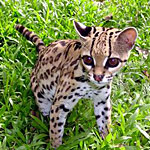 It’s an endangered and beautiful small cat. Accoring to Wikipedia almost all of the prey that the ocelot hunts is far smaller than it is.
However, 10.5 is going to be big and it’s about to hunt down a big competitor. This is not the right name from a marketing point of view either.
Too bad, I’d love to have an Ocelot on my desk.
Mac OS X 10.5 Cougar
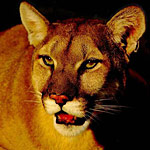 Cougar sounds fast, nice and short. Cougar is also known as puma, catamount, mountain lion, painted cat and even panther.
Apple registered Cougar besides Lynx and Leopard for future use. However this might not necessarily mean it’s for the purpose of actually using it, rather then making sure competitors would not do the same. Every animal is beutiful, but cougars are not as recognizable as the more patterned ones. Slim chance for puma or cougar.
Mac OS X 10.5 Leopard
One thing needs to be clarified here. Leopards are Panthers, as well as Tigers and Lions. So, it seems Apple is not really following a very strict naming structure. So far they have been mixing the genus Panther and the species like Tiger and Puma.
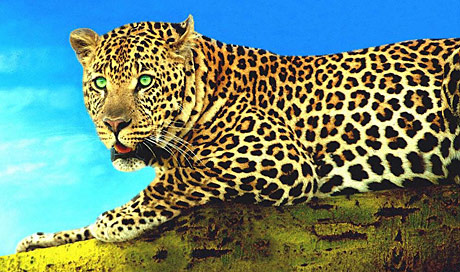
So, theoretically even though a Leopard is a Panther, they can still use the name Leopard. Leopard is elegant and sexy. The word is a bit long, but certainly sounds better than Longhorn and Leopards can eat texas longhorn cattles for dinner in both literal and non literal meanings of the word. So, my guess is that the next operating system from Apple will be codenamed Leopard.
Unless of course Apple decides to work on OS XI 11. Or decide to change the naming to something completely different, which would be a shame.