
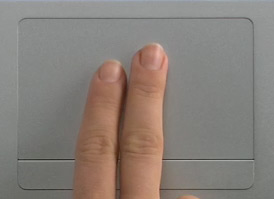
 I noticed so many of us use the trackpad as the primary input device.
I though it would be interesting to check out what trackpad gestures can you use in Photoshop. Here is what I found out:
- Hold the Alt (Option) key and double finger track to zoom within the document in and out.
- Hold the Apple (Cmd) key and zoom in and out your entire screen. Useful when you want to show something to a friend across the room.
- Double tap and hold to start making a selection. Once you’re happy with the size just release the trackpad and your selection becomes active after a second.
- Tap with two fingers results in a CTRL-click or right mouse button click.
- Double finger tracking allows you to scroll and pan within your document.
Unfortunately none of the cool stuff that works in OSX standard apps, such as the rotation with two finders, switching between active pages with three finger swipe or zooming by pinching works in Photoshop.
Ideally Apple should allow us to customize what we want each gesture to mean and we should be able to add new custom gestures too.
For example we could add a lot of Photoshop menu shortcuts as three finger gestures. Each new gesture would be drawn with three fingers and the shape would remind the first letter of the menu item. For example:
- Down and right: Levels
- Up, circle and bottom right: Refine edges
- S shape: Save
- Circle: Open, etc.
- Three finger horizontal swipe: Change between document
- Three finger double tap: Exposé application windows
- Three finger triple tap: Exposé all windows
- Finally when you would tap repeatedly on the trackpad with three fingers it would bring up a random stimulating screensaver that will help generate new ideas.

Comments are closed.